


PageNotes
Login
Sign Up
Your notes, tasks, calendar, bookmarks, moodboards, in one place
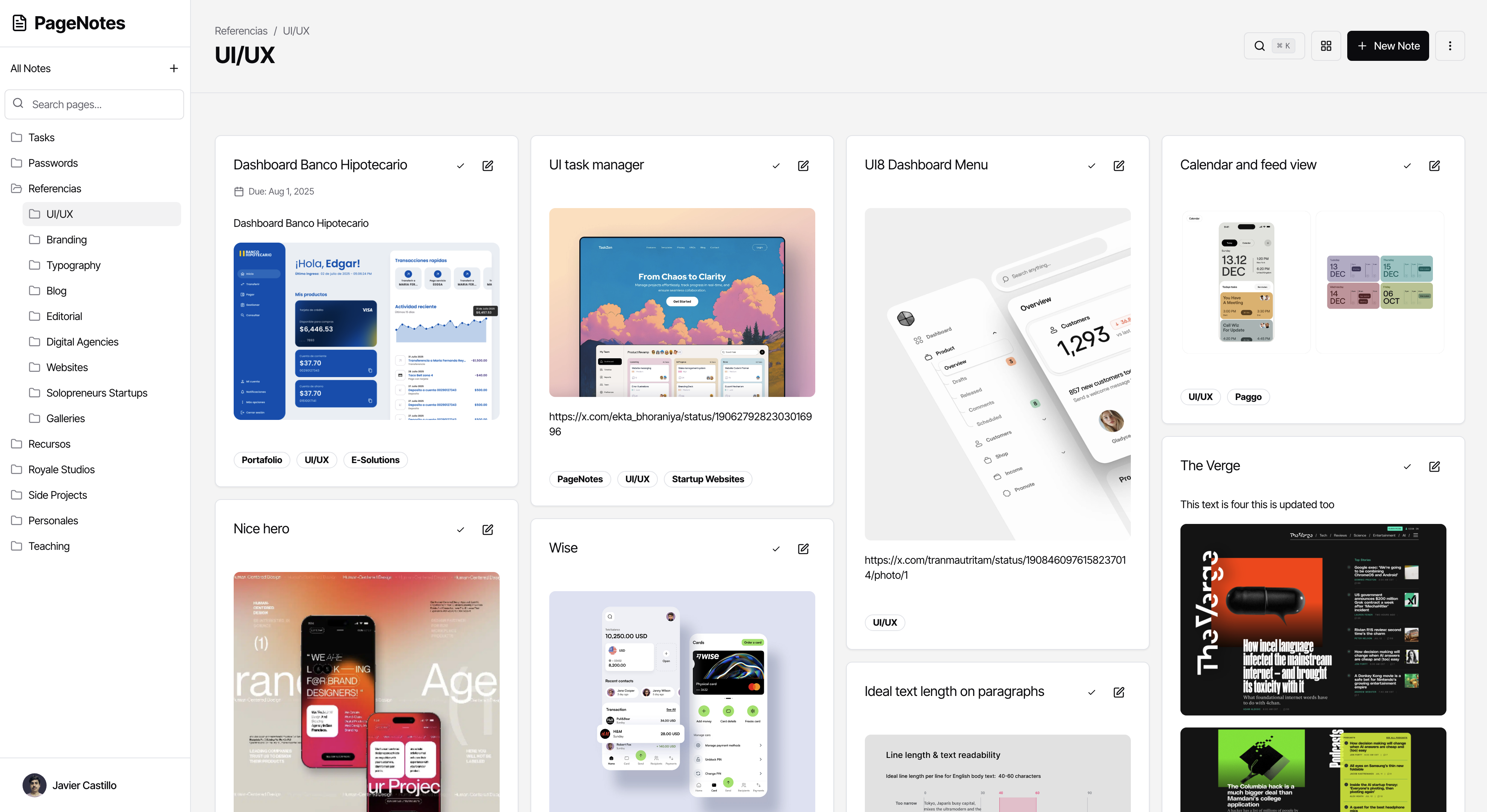

What’s new
Custom fields
Add custom fields to any page and note and define custom information and reports.
Table view
You can now see your notes on a table view, giving you a lot more information and control.
Public pages
Share pages with everyone on the web using our new publish page option.
Share pages
Share pages with other users inside PageNotes.
Tables on notes
Add tables inside a note editor, to better format the information inside a note.
Duplicate notes
Easily duplicate a note from the grid view options or inside the note editor.
Board view
Now you can see your notes in a board view, the columns are set by the subpages inside your current page.
Views shortcuts
Switch between different views in a page without leaving your keyboard with the new switch view shortcuts.
Recent pages
Now you can find recent pages suggestions so you can add a note to a page more easily.
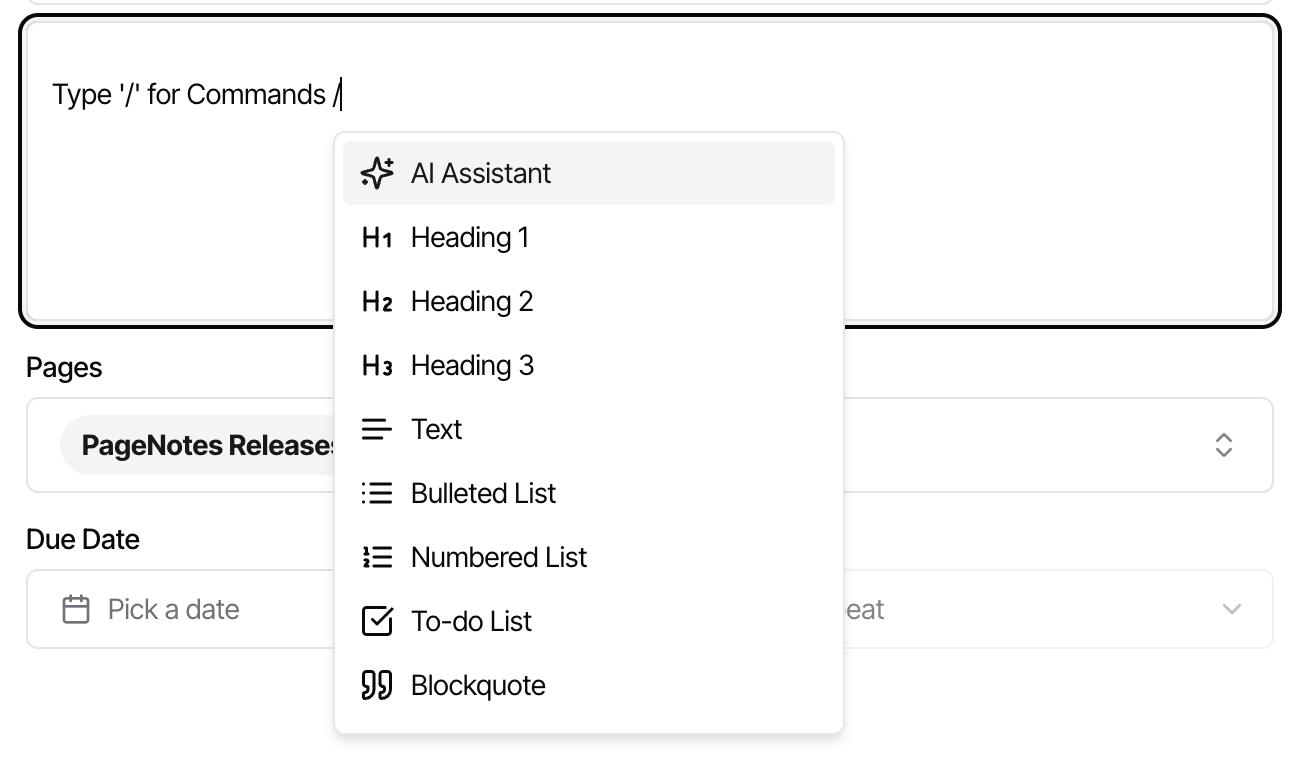
Type / for comands
Now you can type '/' in the content of a note to display the available options in a note.
Bookmark orientation
You can switch the orientation of your bookmarks between horizontal to vertical.
Features
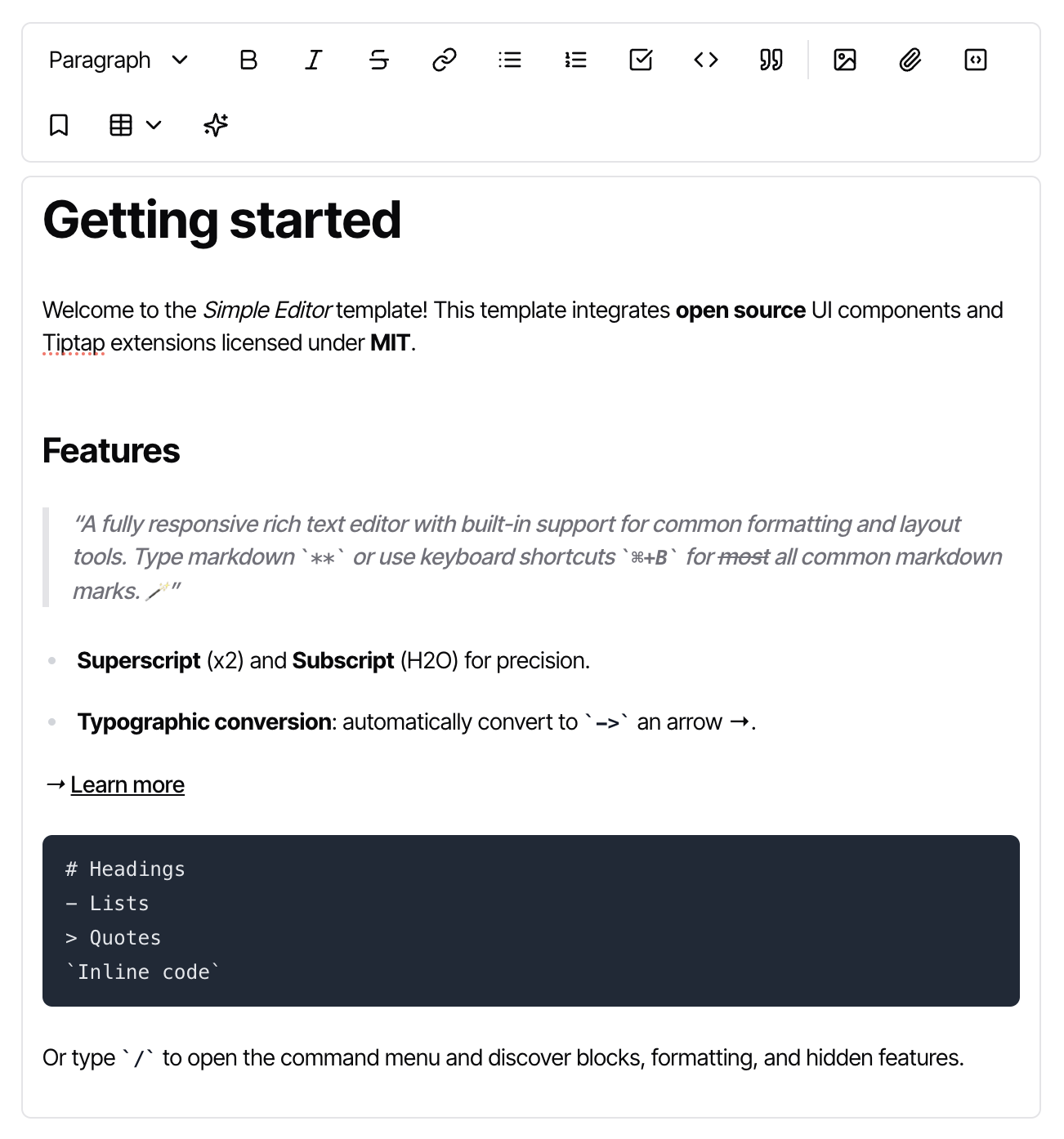
Write notes
Write notes with all the popular tools you are acustomed to.


Use Markdown
Use markdown to format your note with h1 to h6, bold, italic, striketrough

Tables
Type / inside a note to see all available commands.

Images
Type / inside a note to see all available commands.
Extend your notes
Use extensions to fill your note with any content you want.

Type / for commands
Type / inside a note to see all available commands.

Use Markdown
You can embed tweets, youtube videos, and any other content from the web right in your notes.

Use Markdown
You can embed tweets, youtube videos, and any other content from the web right in your notes.
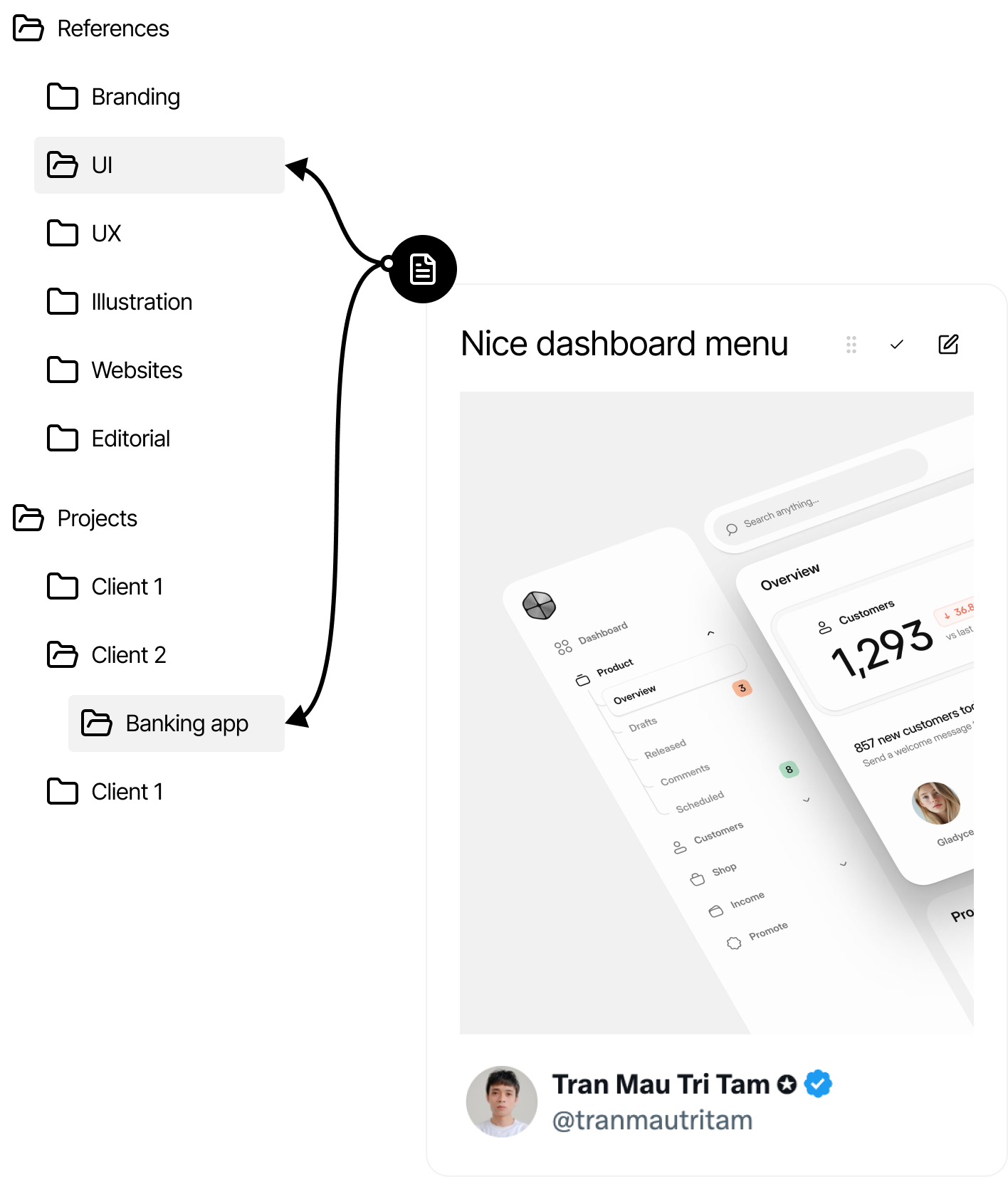
Add notes to pages
You can add a note to as many pages as you want, allowing you to organize your content the best way you see fit.
Your notes the way you imagine them
View your notes on the best format for the content that you are adding

Grid
List
Calendar
Board
Table
Canvas
Coming soon
Use Cases
Save bookmarks
Now you can find recent pages suggestions so you can add a note to a page more easily.



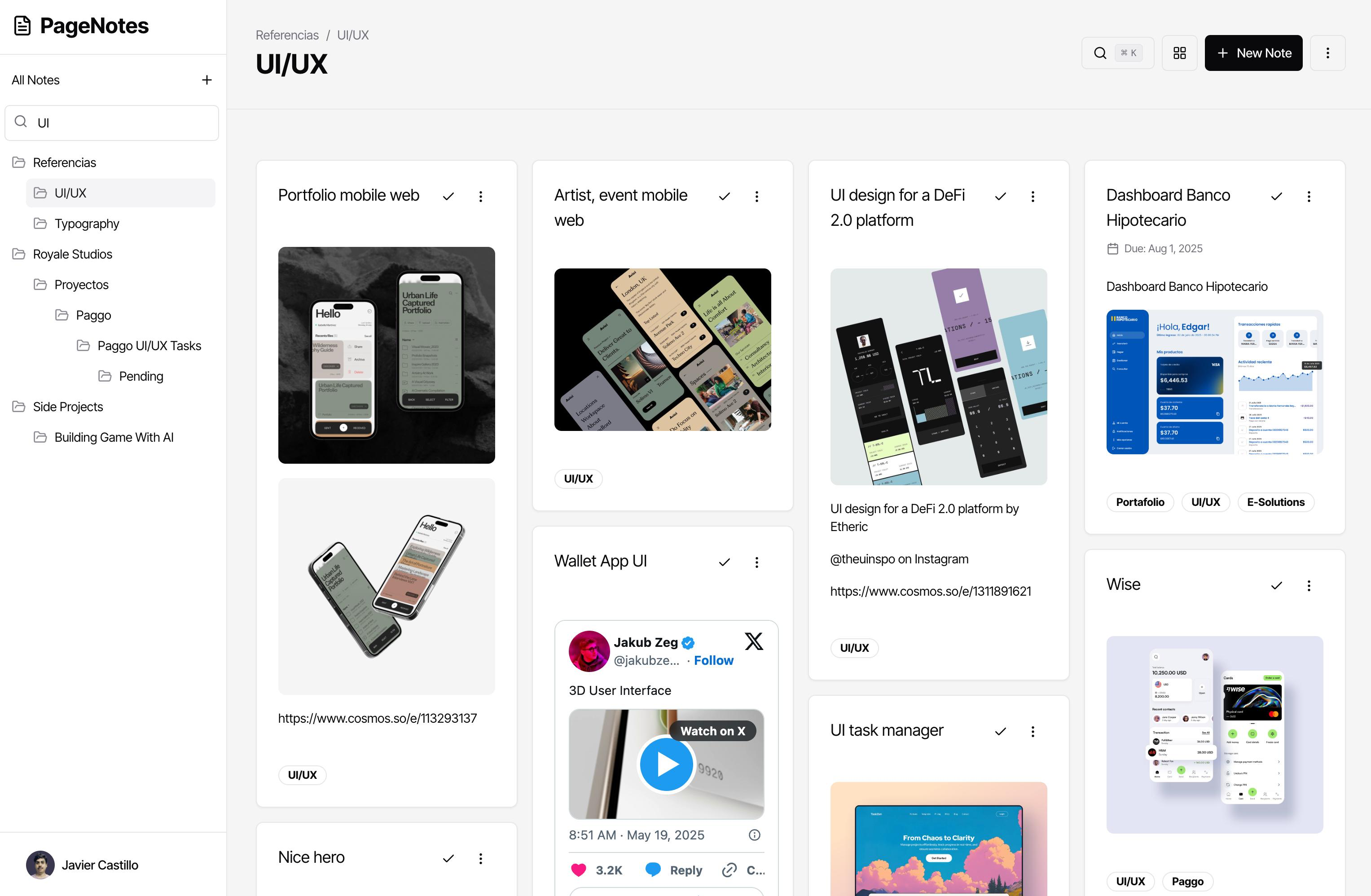
Manage your tasks
Now you can find recent pages suggestions so you can add a note to a page more easily.
PageNotes
Login
Sign Up
Your notes, tasks, calendar, bookmarks, moodboards, in one place

What’s new
Custom fields
Add custom fields to any page and note and define custom information and reports.
Table view
You can now see your notes on a table view, giving you a lot more information and control.
Public pages
Share pages with everyone on the web using our new publish page option.
Share pages
Share pages with other users inside PageNotes.
Tables on notes
Add tables inside a note editor, to better format the information inside a note.
Duplicate notes
Easily duplicate a note from the grid view options or inside the note editor.
Board view
Now you can see your notes in a board view, the columns are set by the subpages inside your current page.
Views shortcuts
Switch between different views in a page without leaving your keyboard with the new switch view shortcuts.
Recent pages
Now you can find recent pages suggestions so you can add a note to a page more easily.
Type / for comands
Now you can type '/' in the content of a note to display the available options in a note.
Bookmark orientation
You can switch the orientation of your bookmarks between horizontal to vertical.

Features
Write notes
Write notes with all the popular tools you are acustomed to.

Use Markdown
Use markdown to format your note with h1 to h6, bold, italic, striketrough
Tables
Type / inside a note to see all available commands.
Images
Type / inside a note to see all available commands.
Extend your notes
Use extensions to fill your note with any content you want.
Type / for commands
Type / inside a note to see all available commands.
Use Markdown
You can embed tweets, youtube videos, and any other content from the web right in your notes.
Use Markdown
You can embed tweets, youtube videos, and any other content from the web right in your notes.
Add notes to pages
You can add a note to as many pages as you want, allowing you to organize your content the best way you see fit.
Your notes the way you imagine them
View your notes on the best format for the content that you are adding

Grid
List
Calendar
Board
Table
Canvas
Coming soon
Use Cases
Save bookmarks
Now you can find recent pages suggestions so you can add a note to a page more easily.


Manage your tasks
Now you can find recent pages suggestions so you can add a note to a page more easily.
PageNotes
Home
Features
Use Cases
Login
Sign Up
Your notes, tasks, calendar, bookmarks, moodboards, in one place

What’s new
Custom fields
Add custom fields to any page and note and define custom information and reports.
Table view
You can now see your notes on a table view, giving you a lot more information and control.
Public pages
Share pages with everyone on the web using our new publish page option.
Share pages
Share pages with other users inside PageNotes.
Tables on notes
Add tables inside a note editor, to better format the information inside a note.
Duplicate notes
Easily duplicate a note from the grid view options or inside the note editor.
Board view
Now you can see your notes in a board view, the columns are set by the subpages inside your current page.
Views shortcuts
Switch between different views in a page without leaving your keyboard with the new switch view shortcuts.
Recent pages
Now you can find recent pages suggestions so you can add a note to a page more easily.
Type / for comands
Now you can type '/' in the content of a note to display the available options in a note.
Bookmark orientation
You can switch the orientation of your bookmarks between horizontal to vertical.
Features
Write notes
Write notes with a fully responsive rich text editor.

Markdown
Use markdown to format your note with h1 to h6, bold, italic, striketrough
Tables
Type / inside a note to see all available commands.
Images
Type / inside a note to see all available commands.
Extend your notes
Use extensions to fill your note with any content you want.
Type / for commands
Type / inside a note to see all available commands.
Bookmarks
You can embed tweets, youtube videos, and any other content from the web right in your notes.
Embeds
You can embed tweets, youtube videos, and any other content from the web right in your notes.
Add notes to pages
You can add the same note to as many pages as you want, allowing you to organize your content the best way you see fit.
Your notes the way you imagine them
View your notes on the best format for the content that you are adding

Grid
List
Calendar
Board
Table
Canvas
Coming soon
Use Cases
Save bookmarks
Now you can find recent pages suggestions so you can add a note to a page more easily.


Manage your tasks
Now you can find recent pages suggestions so you can add a note to a page more easily.